

Sergey
-
Posts
6 -
Joined
-
Last visited
Sergey's Achievements




-
Updated to Flirc 3.8 from 1.3.6, now crashing @startup
Sergey replied to audio_inside's topic in GUI Bugs
Thanks for your reply @jason. I'm no specialist in this 32 vs 64 bit, but @audio_inside has the same 10.9.5 OS and it seems to have worked for him. Unfortunately, I cannot update my OS now because I'm using Parallels with Windows 7, and it will require updating Parallels and other stuff as well. Maybe there is a way around? Sergeys-MacBook-Air:~ Koryakin$ uname -a Darwin Sergeys-MacBook-Air.local 13.4.0 Darwin Kernel Version 13.4.0: Sun Aug 17 19:50:11 PDT 2014; root:xnu-2422.115.4~1/RELEASE_X86_64 x86_64 -
Updated to Flirc 3.8 from 1.3.6, now crashing @startup
Sergey replied to audio_inside's topic in GUI Bugs
Here is my system.log. Can anybody help?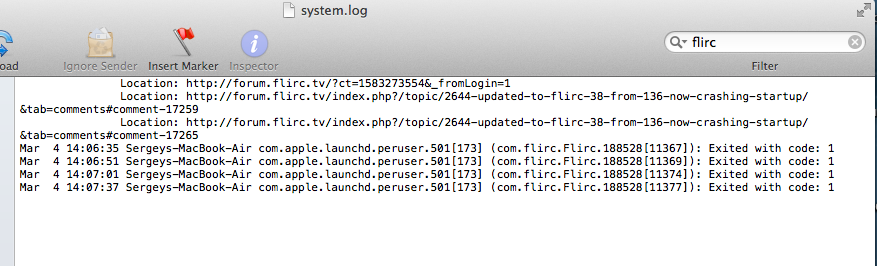
-
Updated to Flirc 3.8 from 1.3.6, now crashing @startup
Sergey replied to audio_inside's topic in GUI Bugs
Have no idea how to view system log. I wonder if you've got any help from @jason or @yawor or anybody out there from the staff and solved your problem? -
Updated to Flirc 3.8 from 1.3.6, now crashing @startup
Sergey replied to audio_inside's topic in GUI Bugs
Installation of GUI goes successfully (no error message), however the program doesn't launch. You just click on it in the Application folder and nothing happens. -
Updated to Flirc 3.8 from 1.3.6, now crashing @startup
Sergey replied to audio_inside's topic in GUI Bugs
I have the same problem with Mavericks 10.9.5. Any solution? -
Sergey joined the community
-
I have the same problem with Apple Remote. Which controller setting (aside from Minimalist) should I use to get FULL functionality from my remote (esp. Menu and Play/Pause buttons)?