

Dax
-
Posts
5 -
Joined
-
Last visited
Dax's Achievements

Newbie (1/14)
0
Reputation
-
Jason, that did it! I am so happy, I have been trying to figure this out for over a year. I am glad I found this forum and posted my issue here. Thanks again for your help, FLIRC is an awesome device.
-
Just to clarify, I am using Harmony smart control and elite universal remotes. I have been doing more reading and found that since Harmony's database already has codes for FLIRC/FireTV and FLIRC/Shield, there is no need to reprogram anything using FLIRC software, is my understanding correct? (see option 1 in this article: https://mediaexperience.com/flirc-remote-control-companion/). I have 8x8 HDMI matrix with 6 different devices connected to it, two of them being Shield and FireTV. Currently if I am on FireTV activity, and press right, left, up, or down keys, it also does same on Shield device. So, somehow both devices appear to understand same set of codes. Not sure how can I fix this.
-
Hi Jason, I am not very clear on how to pair using FLIRC software. I do have the software installed and both FLIRC f/w up to date. This is exactly how I set it up: I just connected FLIRC to each device (firetv and shield). Then using Logitech software, I added two devices as flirc/firetv and flirc/shield assuming Logitech database already had coded needed to control both these devices. I understand that I can connect FLIRC to a computer and using the software, I can learn remote buttons. But I not exactly sure what I need to do to learn Shield and FireTV remotes because neither remotes have IR blasters on them.
-
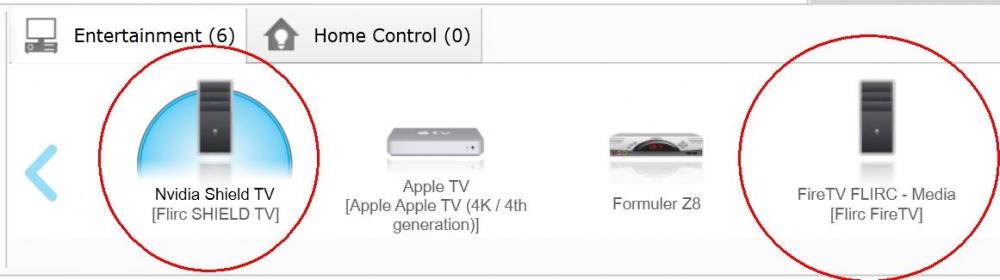
My setup includes NVidia Shield and FireTV with Logitech harmony elite remote. This is how they are currently added to Harmony. Shield + FLIRC 1 : programmed into harmony as: Mfgr: FLIRC, Model: Shield FireTV + FLIRC 2 : programmed into harmony as: Mfgr: FLIRC, Model: FireTV Everything works well, but when I try to control either device, both devices react to commands, I am guessing IR codes may be common for these devices. I have been reading this forum hoping to find a solution to get rid of this interference. Any help would be greatly appreciated.
-
Dax joined the community
-
moved to new thread.
