BTSpaniel
-
Posts
4 -
Joined
-
Last visited
BTSpaniel's Achievements

Newbie (1/14)
0
Reputation
-
When Flirc is not connected, the program freezes every 1 second probably because its constantly checking if Flirc is connected. Can't you just have it search all the usb devices on startup then check only when new ones a plugged in to increase the speed? I was trying to demo to my friends what the software is like but i can't because it runs like it has cancer when the dongle is not plugged in.
-
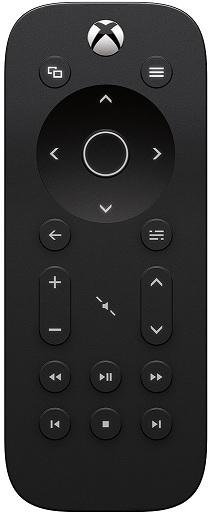
What i use with my shield Order from Top left: Tab,C Arrows/Select Back, Home Shield Volume Up Down and mute, Kodi Volume Up and Down Media Keys
-
I Will check and try, give me 24 hours to fully test. it seems to have fixed my issues
-
Devs should force the new flirc to use the older software until this is fixed. As it is now its pretty much a deal breaker to return this for a full refund. On a positive note at least i can write a bad review till this gets fixed on the new flirc. I cant push any key without it spazzing out and act like im holding down the key infinitely.