Search the Community
Showing results for tags 'high sierra'.
Found 1 result
-
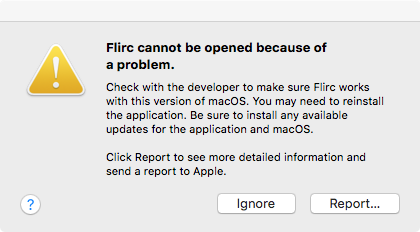
 A fresh install on High Sierra doesn't launch. An old one on another computer was working until I upgraded it, and now it too has the same issue. Seems like Sparkle is borked, but I'm a pilot, not a programmer. I backtracked to v3.9.12 , same issue. Sincere Thanks, Joe ---- Process: Flirc [497] Path: /Applications/Flirc.app/Contents/MacOS/Flirc Identifier: com.flirc.Flirc Version: 3.10.0 Code Type: X86-64 (Native) Parent Process: ??? [1] Responsible: Flirc [497] User ID: 502 Date/Time: 2018-04-14 12:34:04.708 -0600 OS Version: Mac OS X 10.13.4 (17E199) Report Version: 12 Anonymous UUID: 5B65ACE0-E0CD-3EFF-3FD1-04E48F02B0A2 Time Awake Since Boot: 140 seconds System Integrity Protection: enabled Crashed Thread: 0 Exception Type: EXC_CRASH (SIGABRT) Exception Codes: 0x0000000000000000, 0x0000000000000000 Exception Note: EXC_CORPSE_NOTIFY Termination Reason: DYLD, [0x1] Library missing Application Specific Information: dyld: launch, loading dependent libraries Dyld Error Message: Library not loaded: @loader_path/../Frameworks/Sparkle.framework/Versions/A/Sparkle Referenced from: /Applications/Flirc.app/Contents/MacOS/Flirc Reason: image not found Binary Images: 0x1071ad000 - 0x107d5dff7 +com.flirc.Flirc (3.10.0) <9DC8E56A-B95F-36A9-8BAC-C4B06F12A366> /Applications/Flirc.app/Contents/MacOS/Flirc 0x107dbe000 - 0x107dc0ff7 +libhidapi.0.dylib (0) <F35B3015-98EB-30A4-B8A1-5B8B15C4CB53> /Applications/Flirc.app/Contents/Frameworks/libhidapi.0.dylib 0x107dcb000 - 0x107ddafff +libusb-1.0.0.dylib (0) <48508441-BF2B-33B4-81FF-D64CB9386FB3> /Applications/Flirc.app/Contents/Frameworks/libusb-1.0.0.dylib 0x1113f1000 - 0x11143b9df dyld (551.3) <AFAB4EFA-7020-34B1-BBEF-0F26C6D3CA36> /usr/lib/dyld 0x7fff6a927000 - 0x7fff6a928ffb libSystem.B.dylib (1252.50.4) <C7810EA7-A61F-3817-8E54-E2EC4E26F946> /usr/lib/libSystem.B.dylib 0x7fff6ab5c000 - 0x7fff6abb2fff libc++.1.dylib (400.9) <7D3DACCC-3804-393C-ABC1-1A580FD00CB6> /usr/lib/libc++.1.dylib Model: iMac14,2, BootROM IM142.0129.B00, 4 processors, Intel Core i5, 3.2 GHz, 8 GB, SMC 2.15f7 Graphics: NVIDIA GeForce GT 755M, NVIDIA GeForce GT 755M, PCIe Memory Module: BANK 0/DIMM0, 4 GB, DDR3, 1600 MHz, 0x802C, 0x384B54463531323634485A2D314736453220 Memory Module: BANK 1/DIMM0, 4 GB, DDR3, 1600 MHz, 0x802C, 0x384B54463531323634485A2D314736453220 AirPort: spairport_wireless_card_type_airport_extreme (0x14E4, 0x111), Broadcom BCM43xx 1.0 (7.77.37.29.1a7) Bluetooth: Version 6.0.5f3, 3 services, 27 devices, 1 incoming serial ports Network Service: Wi-Fi, AirPort, en1 Serial ATA Device: APPLE HDD ST1000DM003, 1 TB USB Device: USB 3.0 Bus USB Device: BRCM20702 Hub USB Device: Bluetooth USB Host Controller USB Device: FaceTime HD Camera (Built-in) Thunderbolt Bus: iMac, Apple Inc., 23.10